Microphone or system audio
Transcribe your microphone, or capture the audio from your Mac or a single app. Run both at once and GlossOne labels who said what, handy for meetings, videos and calls where you can't reach the speaker.
 GlossOne
Live transcription and bilingual captions, right from your Mac menu bar.
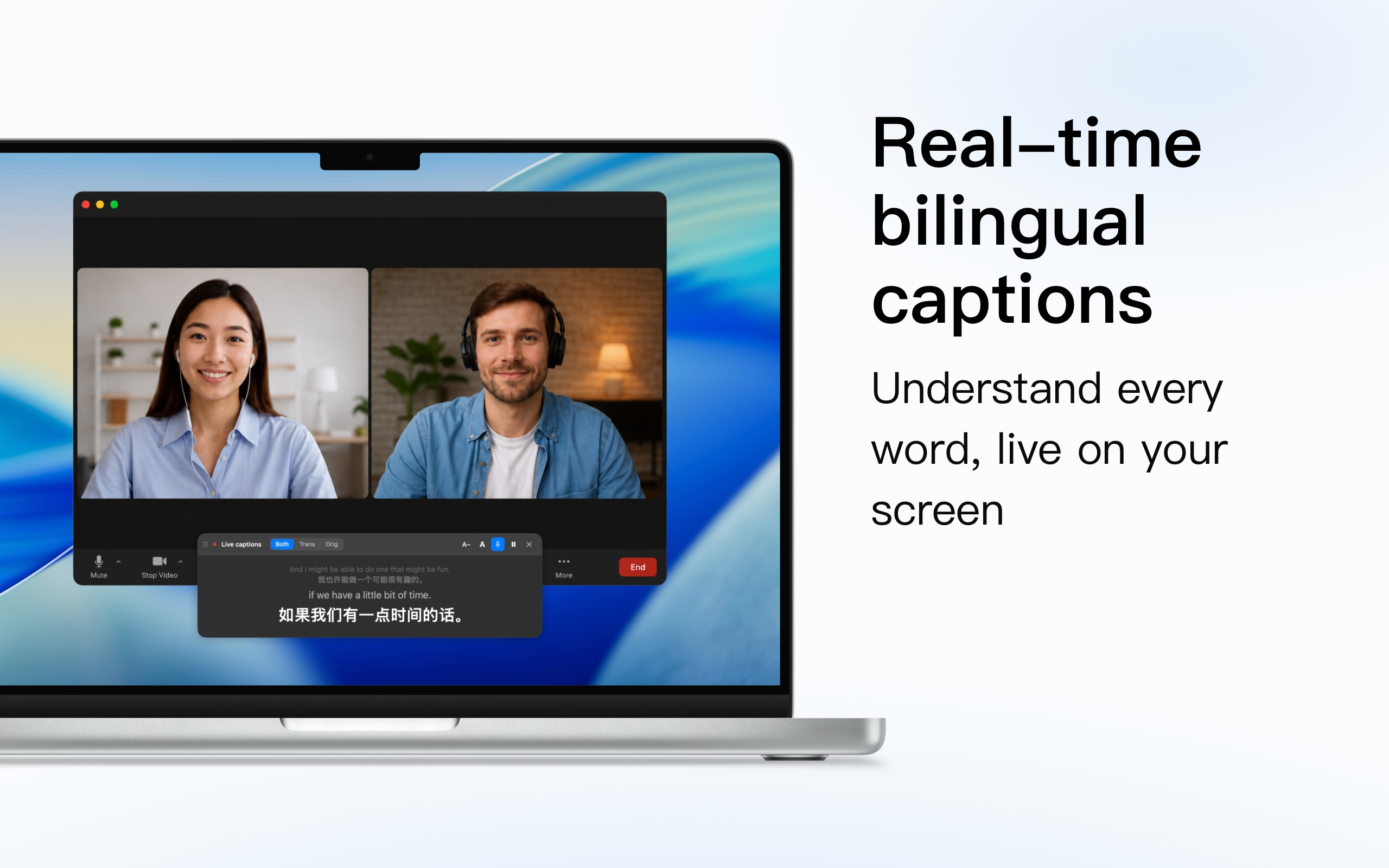
Turn live speech into instant text and bilingual subtitles, from your microphone or any app's audio. Float the captions over Zoom and any meeting. Recognition and translation run on-device by default. Native, sandboxed, privacy-first.

The actual GlossOne popover, running live on this page. Go ahead, click around.
Start, pause, resume and stop a transcription with a single click.
Switch between microphone and system audio, WhisperKit or Apple Speech.
Flip on Local-Only and every byte stays on your Mac.
 00:00
00:00
A live preview running right in your browser. Nothing leaves this page.
GlossOne lives in your menu bar with no Dock icon. Three steps from a live voice to readable, translated captions.
Choose your microphone, the audio playing on your Mac, or a specific app such as Zoom or a browser. Then hit start.
GlossOne recognizes speech on-device in real time and detects the language on its own, so there is nothing to configure mid-conversation.
See the original and its translation line by line, in a window or a floating overlay over your meeting, then export the whole session.
Real screenshots from the app. Scroll through, and click any shot to take a closer look.
No main window, no Dock icon. GlossOne lives quietly in your menu bar and is one shortcut away.
Transcribe your microphone, or capture the audio from your Mac or a single app. Run both at once and GlossOne labels who said what, handy for meetings, videos and calls where you can't reach the speaker.
As people speak, GlossOne transcribes and translates line by line, showing the original and the translation together so you can follow a conversation in two languages at once.
Pin captions in an always-on-top overlay over Zoom, Teams, or any video, sized and styled the way you like. They stay readable while you keep working.
Speech is recognized locally with WhisperKit and can be translated on-device too, so your audio never has to leave your Mac, even in a confidential meeting.
Transcribe audio and video files you already have. Every session is saved to a searchable history with optional recording you can replay, then exported as SRT, VTT, TXT or Markdown.
Turn any transcript into clean meeting notes, an overview, the key points and the action items, generated on demand. Perfect for a call you couldn't fully attend.
Speech recognition runs on-device with WhisperKit. For the translation, keep everything on your Mac with Apple's on-device translator, or pick from 14 engines, each connected directly with your own keys.
 Apple (on-device)
 DeepL
DeepL
 Google
 Microsoft
 Tencent
 Baidu
Baidu
 Youdao
 Alibaba
 Volcano Engine
 Amazon
 OpenAI
 Claude
 Gemini
 Ollama
 LM Studio
Recognition runs locally with WhisperKit, and translation can run on Apple's on-device translator. Switch on Local-Only mode and GlossOne blocks every cloud engine, so your audio and text never leave your Mac.
GlossOne has no backend of its own. When you choose a cloud engine, text goes straight from your Mac to that provider, with no relay in between and nothing to sign up for.
Bring your own keys for cloud engines. API keys, tokens and secrets are stored in the macOS Keychain, never in plain files, never sent anywhere except the engine they belong to.
GlossOne always runs in the App Sandbox and leans on Apple system frameworks. No analytics, no advertising, no third-party tracking. Your transcripts and history stay on your device.